In this blog post, I will break down the 20-Minute Zone Decluttering process and provide quick, step-by-step instructions to help you get started using one. To start, I always encourage people to step outside their home for a moment, armed with a notepad and pen. Then, re-enter with fresh eyes, walking through each room, opening closets, checking pantries—taking note of every cluttered area that stands out.
Segmenting or dividing those areas into zones has been a popular and common-sense means of tackling big projects or cleaning large areas. I have used this method and recommended it in my book for decluttering kitchens. With the Zone Rotation Tracker—a simple, paper-based tool that you can use to transform your entire home using bite-sized “zones,” each assigned to a single week. Instead of marathon clean-ups, you’ll invest just 20 focused minutes on one area at a time, 2 to 3 times a week.
Create Your Zone Tracker
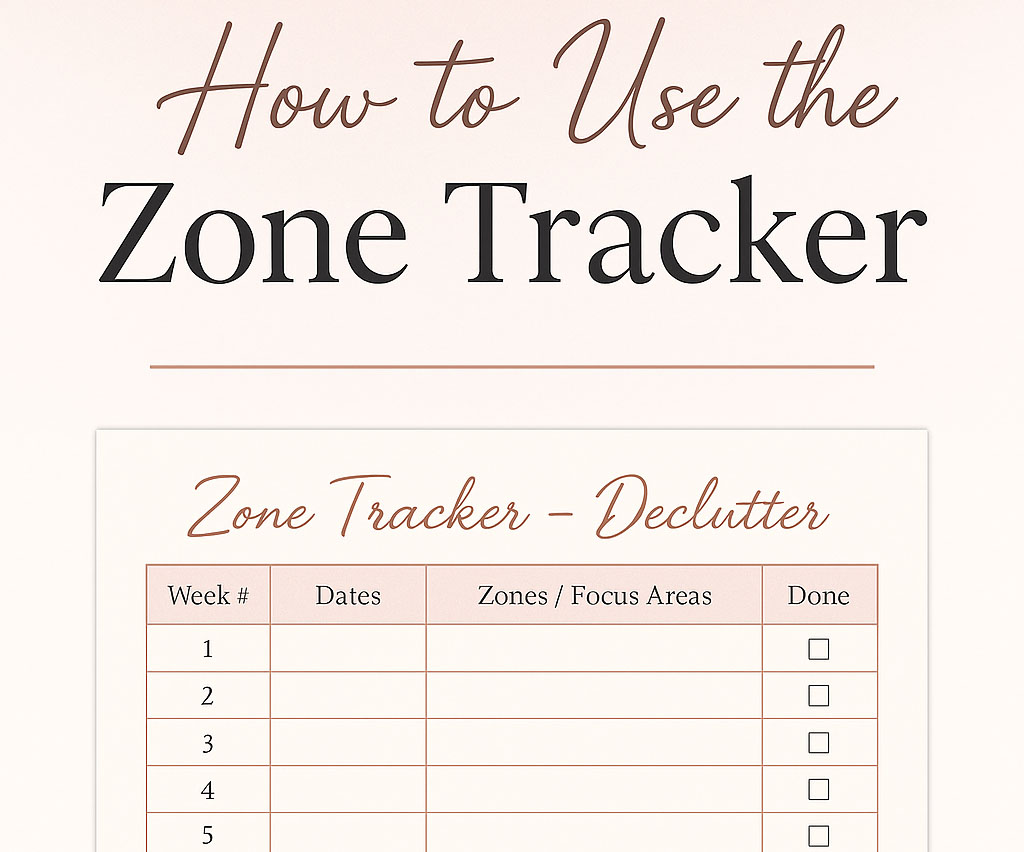
Use the Zone Tracker provided below or set up your own Zone Tracker by grabbing a blank sheet of paper and creating four columns. Label the columns: Week #, Date, Zone/Focus Area, and Done.
Zones are designated areas you intend to focus your efforts on organizing, cleaning, or decluttering. Use your list of household clutter, pick 10-12 distinct areas you want to focus on decluttering (e.g., kitchen pantry, primary bedroom closet, home office desk). Focus on manageable areas (e.g., “entry way and hall closet”) so one week never feels overwhelming. Write the zone names in the “Zone / Focus Area.”
Block Time to Declutter
- In the “Week #” column, leave the numbers 1-12 as is if using one of the downloadable worksheets; otherwise, number the zones 1-12. This is the order in which you will tackle each zone over the next 12 weeks.
- In the “Dates” column, provide the Monday–Sunday span for each week (e.g., Jul 7–13). This will be the timeframe allocated to complete the task listed for that week.

- It is best to start a zone at the beginning of the week, no matter when you start in the year. Simply use your starting week as “Week 1.” The tracker is meant to roll forward continuously.
- It is helpful, but not necessary, to choose specific days and time slots for each day that you can realistically stay committed to the process (e.g., Tuesday and Thursday, 9:00-9:20 a.m.).
- Add those times to your digital calendar with a recurring weekly reminder.
Ready, Set, Start (20 Minutes Max)
With your timer on. Work only in the designated week’s zone—no hopping around. Do as much as you can in 20 minutes.
- Quick wins first: Find 2-3 items to recycle, 2-3 items to donate, and 2-3 items to put back where they belong.
- Other quick wins: toss expired or broken items, take out the trash, clear off cluttered surfaces, purge / shred old papers or documents, etc.
- One micro-project: If time remains, tackle a small task that often gets ignored (e.g., purge expired pantry items during “kitchen pantry” week).
When Done…
When you are finished for the week, check the “Done” box at the end of the designated period for that zone. Use a colored pencil or marker to shade the progress bar at the bottom—one segment per week—to visually track momentum. Then reflect on what worked and what didn’t. Use the “Reflections / Adjustments” space to note anything that needs a deeper session later. If a zone felt unusually heavy, split it into two zones next cycle.
Quarterly, or when all 12 boxes are checked and your progress bar is full, stop to review what repeatedly requires more time or effort, and why. Also, note which zones stayed spotless. Then print or create a new tracker and re-order your declutter zones so trouble areas appear earlier.
Consistency is the key to success using the Zone Tracker. A focused 20-minute sweep 2-3 times a week helps you tackle those cluttered areas in your home and makes the whole-house decluttering process far less daunting. Other ways to encourage yourself include treating yourself after every four consecutive weeks are completed. You can also add a faith-based focus to the process by including a motivational quote or scripture in the header of your tracker, connecting the practice to your spiritual goals. A final suggestion is to involve your family. Assign age-appropriate tasks in that week’s zone to your kids, spouse, or roommates.
By rotating zones week by week, you sidestep decision fatigue, see visible progress, and free your mind (and schedule) for what truly matters—whether that’s hosting friends, deepening family time, or simply breathing easier in your own space.
Weekly Zone Rotation Tracker
How to use: Identify and write in an area (“zone”) within your home, that each week, you will spend about 20 minutes decluttering. Check complete and shade the progress bar below as you go!
| Week # | Dates | Zone / Focus Area | Reset Done |
|---|---|---|---|
| 1 | |||
| 2 | |||
| 3 | |||
| 4 | |||
| 5 | |||
| 6 | |||
| 7 | |||
| 8 | |||
| 9 | |||
| 10 | |||
| 11 | |||
| 12 | Catch-Up / Flex |
12-Week Color‑In Tracking Bar
How to use: Shade one box each week you complete your decluttering for a zone. When all 12 boxes are filled, start a new tracker!
Reflections / Adjustments:
Print PDF Version of 12 Week Zone Rotation Tracker.